
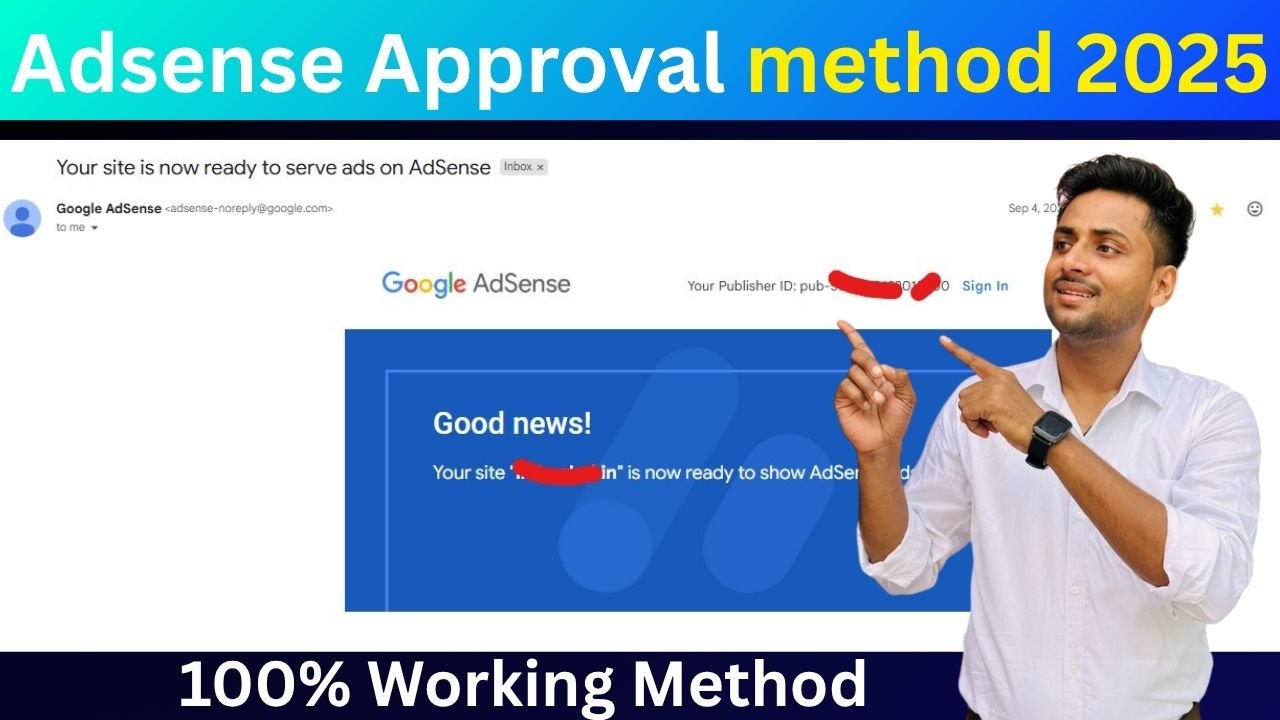
AdSense Low Value Content Fix | AdSense Approval Method
Google AdSense is one of the most trusted and popular ways to earn money online by monetizing your website. However, getting AdSense approval is not always easy. Many bloggers face issues like “Low Value Content”, “Policy Violation”, or “Site Not Ready for Ads.”
In this guide, we’ll walk you through step-by-step methods to get AdSense approval, fix “Low Value” issues, and resolve “Policy Violations.”
Let’s dive in 👇
What is Google AdSense?
Google AdSense is an advertising program by Google that allows website owners to earn money by displaying ads on their websites.
Advertisers pay Google to show ads, and Google shares a part of that revenue with the site owner.
In short:
You publish content → Google shows ads → You earn revenue.
Basic Requirements for AdSense Approval
Before applying for Google AdSense, your website must meet certain eligibility criteria. Here’s a quick look 👇
| Requirement | Description |
|---|---|
| Original Content | Your articles must be unique, well-written, and valuable to users. |
| Domain Age | At least 1-2 months old (for Indian websites, 3-4 months preferred). |
| Website Design | Clean, responsive, and easy-to-navigate layout. |
| Important Pages | Must include: About Us, Contact Us, Privacy Policy, Terms & Conditions. |
| Traffic Source | Organic traffic preferred. Avoid bots or paid traffic. |
| Language | Supported languages like English, Hindi, etc. |
| SSL Certificate | Use HTTPS for better trust and ranking. |
Step-by-Step AdSense Approval Method (2025)
Follow these simple but powerful steps to get your website approved for AdSense:
Step 1: Choose a Niche with Value
Avoid copying others. Select a niche where you can provide unique information.
Examples:
- Education & Government Jobs (like govrojgar.com)
- Tech Tips
- Blogging & SEO
- Health & Lifestyle
Step 2: Create Quality Content
Write 10–15 SEO-friendly articles (each 1000+ words).
Your content should:
- Be free from plagiarism.
- Have clear headings (H1, H2, H3).
- Include relevant images.
- Avoid keyword stuffing.
👉 Example article structure:
H1: Main Title
H2: Introduction
H3: Step 1 – Do This
H3: Step 2 – Do That
H2: Conclusion
Step 3: Add Essential Pages
Without these pages, AdSense will definitely reject your application:
- About Us
- Contact Us
- Privacy Policy
- Disclaimer
- Terms and Conditions
Step 4: Avoid Copyrighted Material
Do not use:
- Copied text
- Google Images without modification
- Movie download or adult content
- Content from news channels
Step 5: Apply for AdSense
After posting 15–20 quality articles and setting up all required pages:
- Visit https://www.google.com/adsense/
- Sign up using your Gmail
- Submit your website
- Wait for 3–10 days for review
How to Fix “Low Value Content” Issue in AdSense
If your AdSense application says “Site has low value content”, don’t worry. This is one of the most common rejections.
Let’s fix it step by step 👇
1. Increase Word Count
Each article should have at least 800–1200 words. Google loves detailed guides that answer users’ questions.
2. Add Unique Images & Infographics
Use Canva or Adobe Express to design your own graphics. Don’t copy images from other sites.
3. Improve Internal Linking
Link your own articles with each other using relevant anchor text.
Example:
“Also read: Top 10 Insurance Companies in India.”
4. Use Proper Formatting
Use:
- Bullet points ✅
- Tables 📊
- Headings & Subheadings
- Simple language for readability
5. Check Page Loading Speed
Use Google PageSpeed Insights to make sure your site loads under 3 seconds.
6. Avoid Thin Content
Pages with only 100–200 words or keyword-stuffed text are considered thin content.
Delete or update them.
How to Fix “Policy Violation” in AdSense
If Google says your site violates AdSense policies, don’t panic. It can be fixed easily if you follow the right process.
Identify the Policy Issue
Login to your AdSense account → Policy Center → Check the violation details.
2. Common Policy Violation Reasons
| Violation Type | Description |
|---|---|
| Copyrighted Content | Using others’ videos, images, or articles. |
| Invalid Clicks | Clicking your own ads or encouraging users to click. |
| Adult or Sensitive Content | Avoid adult, gambling, or drug-related material. |
| Fake News or Misleading Info | Always provide accurate and verifiable information. |
| Ad Placement Violations | Don’t place ads near buttons, download links, or pop-ups. |
3. Fix the Problem
Once identified:
- Remove or rewrite the violating content.
- Delete spammy backlinks.
- Avoid unnecessary pop-ups.
- Recheck your robots.txt file (make sure important pages are crawlable).
4. Request Review
After fixing all issues:
- Go to AdSense Policy Center
- Click on “Request Review”
- Google will recheck your website within 3–5 days
Common Mistakes to Avoid During AdSense Application
| Mistake | Impact |
|---|---|
| Submitting site too early | Rejection due to insufficient content |
| Copied content | Permanent ban |
| Invalid traffic or clicks | Account suspension |
| No SSL or Privacy Policy | Application disapproved |
| Poor site design | Decreased approval chances |
AdSense Approval Checklist (Quick Table)
| Task | Status |
|---|---|
| 10–15 Quality Posts | ✅ |
| Important Pages (About, Privacy, Contact) | ✅ |
| Unique Images | ✅ |
| SSL Installed | ✅ |
| Responsive Design | ✅ |
| No Copyright Material | ✅ |
Frequently Asked Questions (FAQs)
1. How many posts are required for AdSense approval?
Usually, 15–20 quality posts with at least 800–1000 words each are recommended.
2. How much traffic is required for approval?
There’s no fixed traffic requirement, but having organic visitors increases your approval chances.
3. How long does AdSense take to review a site?
Normally, 3–10 working days. Sometimes longer, depending on your content quality.
4. Can I reapply if AdSense rejects my site?
Yes, you can reapply after 15 days once you fix the mentioned issues.
5. What is “Low Value Content”?
It means your content doesn’t provide enough original information or user value. Add more unique content and visuals.
6. Why did AdSense disable my account?
If you violate AdSense terms (e.g., invalid clicks or adult content), Google can disable your account. Always follow their policies.
7. Can I use AdSense on Blogger or WordPress?
Yes. Both Blogger and WordPress are fully compatible with AdSense.
8. Is it necessary to have a custom domain?
Yes, especially for professional approval. Use a .com, .in, or .net domain instead of “blogspot.com”.
Bonus Tip: Improve AdSense CTR (Click-Through Rate)
Once approved, optimize your ads for better revenue:
- Place ads within content (after 1st or 2nd paragraph)
- Use responsive ad units
- Avoid overloading with too many ads
- Focus on mobile optimization
Final Words
Getting AdSense approval might seem tough, but with high-quality content, proper structure, and policy compliance, it becomes easy.
Remember, Google wants to provide value to readers — so if your site helps people, AdSense will automatically approve it sooner or later.
Keep your site clean, valuable, and consistent — and your AdSense income will follow!
Author’s Note:
This article is written for bloggers and website owners who want to get AdSense approval in 2025.
If you still face issues, explore more blogging tips on govrojgar.com — your one-stop platform for digital success!
Read Also – Google AdSense Eligibility Checker Tool